

As a teacher you can create your own class, invite your own students, select the language you teach, and name of the class, tailored to your needs, instead of class transfer from one teacher to another, if you already have a Xeropan Classroom account. Please find the steps below:
We suggest that you do this together with the class at the beginning of the lesson, as it only takes 2-3 minutes. While it's really simple, it's better if you can support each other.
Log in to the Xeropan Classroom teacher interface: https://classroom.xeropan.com/users/login
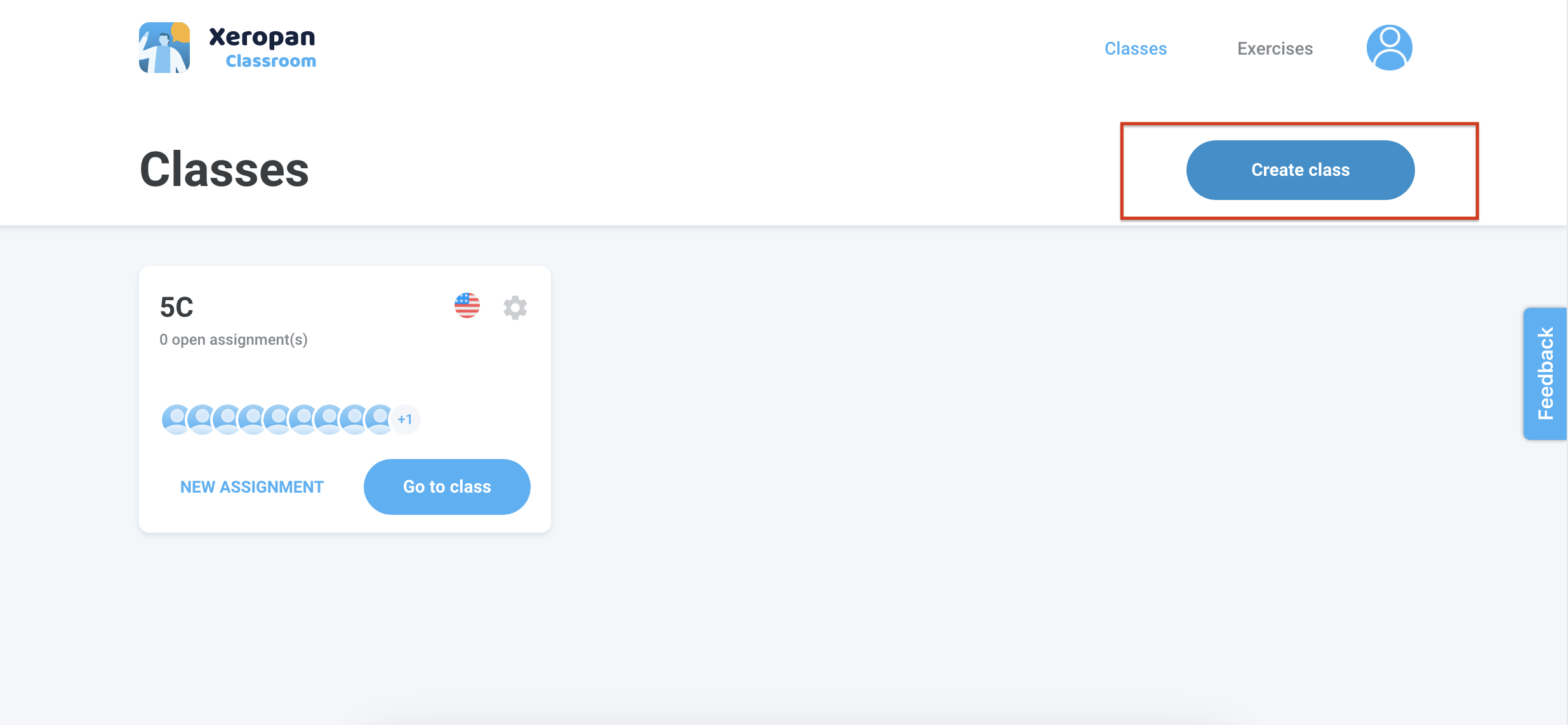
On the home screen, in the top right corner, click "Create class."
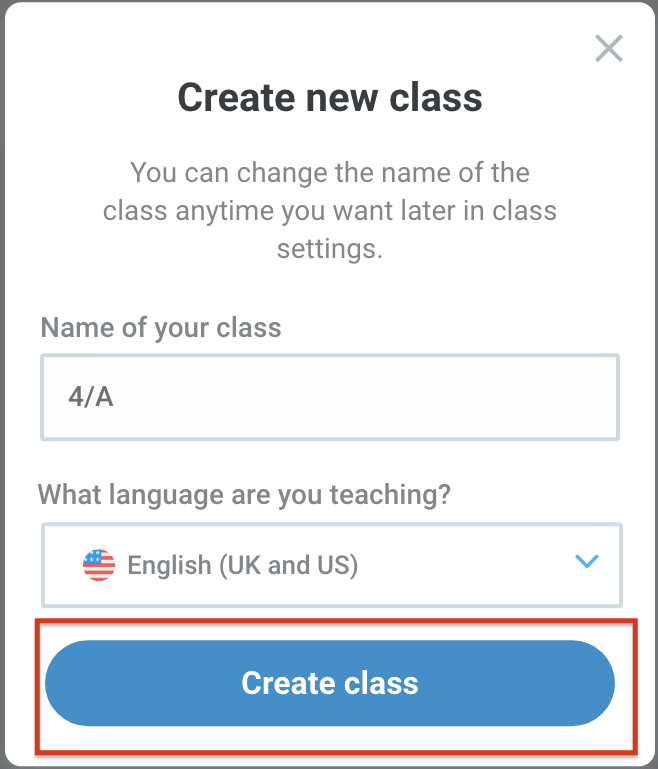
Name the class, e.g: 4/A and select the language you wish to teach, e.g: English, then click on ,,Create class".
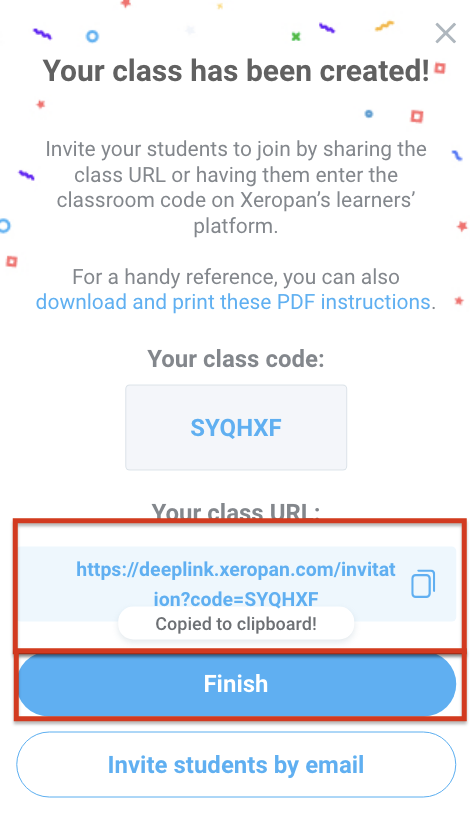
Once you’ve created the class, you have several options for inviting your students. These options will be visible on the interface. We recommend the simplest method for you now. ,,Your class URL" will appear, copy this, then click on ,,Finish".
Send this URL to the students you want to invite to the class (if they already have student access). You can find this URL under the ⚙️ icon menu as well if you failed to copy it.
Wait till the students join your class.
Happy teaching.
What students need to do:
Click on the link that your new teacher sent to you.
Then you will see a message from your teacher about the invitation. Just click on the ,,Join now" button. (If this is your first time logging into the student interface, in addition to downloading the app, you will go through a few one-time introductory steps.)
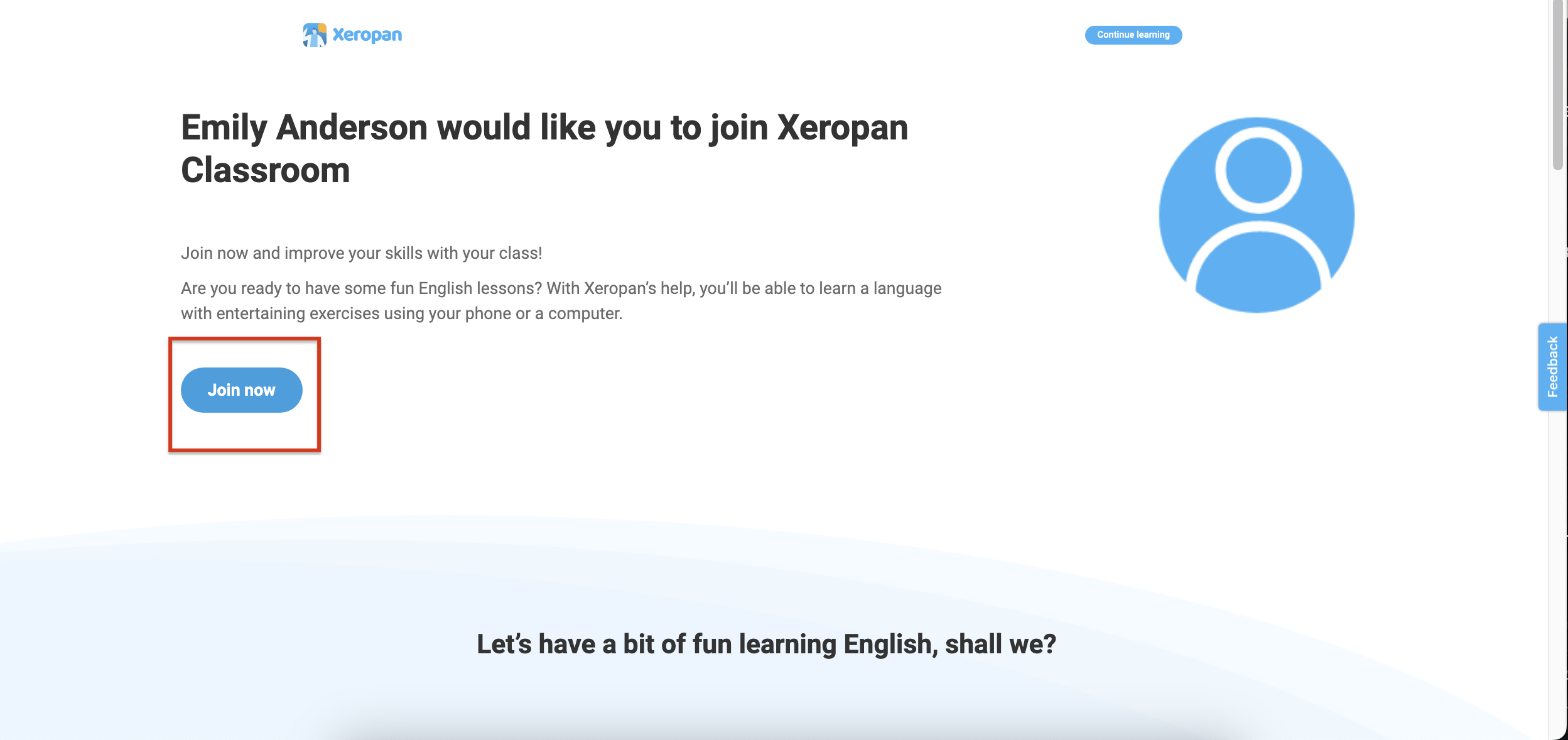
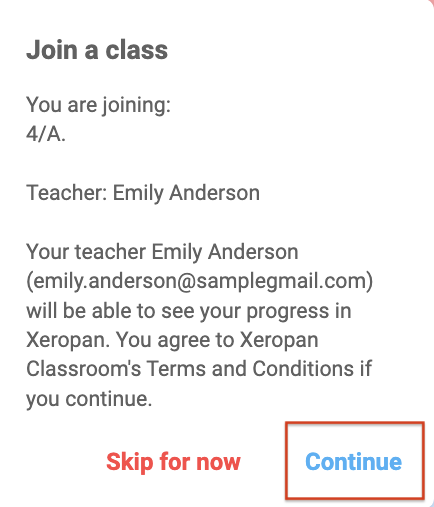
Click on the ,,continue” button.
Happy learning.
💡 Explore our teacher training playlist to discover all the tips and features for using Xeropan Classroom effectively in your lessons.
If a new teacher account is required, as this is a new teacher who would like to teach the class or a student does not have access please contact the Xeropan team at institutions@xeropan.com email and provide your organization’s name, and a detailed description of your request so we can assist you.